Pocketmags Magazine Newsstand
- 4.5
- Rating
- 100.00K
- Installs
- Free
- Price

 Analysis by App-foxy
I like magazine apps most when they solve a very specific problem: keeping several publications in one place without making me manage a pile of separate apps. Pocketmags Magazine Newsstand takes that approach. It is a free News & Magazines app from Pocketmags.com, and its central appeal is straightforward: it gives readers a digital place to discover and read magazine content instead of treating every title as a separate destination.
That sounds simple, but the real value depends on how you read. If you enjoy browsing different subjects, comparing titles, and choosing something for a particular moment, the newsstand format feels natural. If you only read one publication and already have a good way to access it, the extra layer may not add much. After spending time with the app, I see it less as a replacement for every magazine subscription and more as a flexible reading shelf for people who like variety.
One newsstand for readers who do not want to choose just one title
The strongest capability here is the ability to approach magazines through a shared catalog rather than through a single publisher’s window. That changes the starting point. Instead of opening an app because I have already decided what to read, I can begin with a general interest in a topic and browse toward a publication.
You May Also Like

 Blood Strike: 2.5 Anniversary
Blood Strike’s Loadouts Turn Every Drop Into a Tactical Gamble
A close look at Blood Strike’s custom loadouts: how fast access to signature weapons reshapes its battle royale rhythm, rewards preparation, and narrows the gap between fights.

 Pandora - Music & Podcasts
Pandora’s Music Is Easy to Start, but Harder to Recover
Pandora’s strength is its low-effort path from a seed to a station. Its weak spot is how much confidence it asks you to place in connection, setup, and quiet recovery.

 8 Ball Pool
 Is Built on Rivalries, Rematches, and Routine
A close look at the rivalries, rematches, shared routines, and unanswered safety questions that turn a quick pool match into a persistent mobile community.

 Samsung Music
’s Quiet Strength Is Playing What You Already Own
Its reach comes less from spectacle than from dependable access to a personal library. That simplicity is both the app’s strongest retention engine and its ceiling.

 AccuWeather: Weather Radar
AccuWeather Review: A Quick, Clear Forecast for Everyday Decisions
For everyday plans, the best forecast is the one you can understand quickly. AccuWeather makes rain timing, radar, and local conditions easy to act on, with a few trade-offs.

 Hill Climb Racing
Why Hill Climb Racing Still Turns Crashes Into One More Run
A tiny car, a bumpy hill and one more upgrade: Hill Climb Racing keeps resurfacing because its simple chaos makes every near-miss feel personal.
More From Our News Desk



That distinction matters on a phone. A single-title magazine app can be excellent when I am loyal to that publication, but it is not especially helpful when I am looking for something new. Pocketmags Magazine Newsstand is built around that discovery habit. I can think in terms of interests, current reading mood, or the kind of material I want to spend time with, rather than remembering which publisher owns which title.
I would not describe this as a replacement for a physical newsstand in every sense. A real shop lets me pick up a magazine, glance through its cover lines, and make an almost instant decision. A digital catalog offers a different advantage: it keeps the browsing and reading experience closer together. Once I find something appealing, I can continue in the same general environment instead of switching between unrelated publisher apps.
The app’s store summary, “Discover Read Enjoy,” captures the intended rhythm, but I found the useful part to be the connection between those stages. Discovery is not just decoration before reading. It is the reason this type of app can be more useful than a direct subscription tool for a curious reader.
Why the shared catalog changes the reading habit
Most magazine readers fall into two groups. Some follow a small number of familiar titles and want the newest issue as quickly as possible. Others read in bursts: a magazine during a commute, a special-interest issue at the weekend, or something completely different when a particular subject catches their attention. The second group is where this app makes the most sense.
I found that a broad newsstand encourages a lower-pressure decision. I do not have to commit my whole reading routine to one publication before I know whether I will enjoy it. That is valuable for people who are exploring a hobby, returning to magazines after a long break, or trying to replace casual web browsing with longer-form reading.
There is also a practical benefit for households and individuals with changing interests. A person might want technology coverage one day, travel inspiration another day, and a hobby magazine later in the week. A single-purpose reader is often awkward in that situation. Pocketmags.com’s app is better suited to a mixed reading shelf, where the point is not loyalty to one title but access to a range of possible reading choices.
The key strength is not simply having magazines on a phone; it is reducing the distance between finding a title and deciding to read it. That is the capability I would focus on when deciding whether to install it.
How I would use it in everyday reading
The basic workflow is easy to understand. I open the app when I want to browse, look for a publication that matches my interest, and then treat the chosen issue as a reading session rather than as another web page. The app is free to install, which makes it reasonable to test the browsing experience before deciding whether it belongs in my regular routine.
That free entry point should not be confused with unlimited free reading. The app includes in-app purchases ranging from $0.99 to $349.99 per item, so the cost can vary substantially depending on what a reader chooses. I would approach it as a storefront and reading platform rather than assuming that every magazine is included at no charge. Before buying, I would check exactly what the selected item represents and whether it matches the way I prefer to read.
This is especially important for anyone comparing a single purchase with an ongoing subscription. A one-off issue can be sensible when I only want a particular edition or when I am testing a title. A longer commitment may make more sense for a magazine I read consistently. The right choice depends on my habits, not on the fact that the application itself costs nothing to download.
A useful routine for avoiding impulse purchases
My practical advice is to separate discovery from buying. I would browse first, identify the titles that genuinely interest me, and only then decide whether I want to pay for an issue or a longer arrangement. This small pause is useful because a visually attractive cover can create the impression that I need a magazine immediately, even when I may only be interested in one article.
Another helpful habit is to use the app for planned reading moments. For example, I might browse on a Friday evening, choose one issue for the weekend, and avoid filling my library with material I will not open. This makes the newsstand feel more like a curated shelf than an endless shopping feed.
For readers who move between devices, the first question is whether their preferred setup is supported comfortably by the app’s current release and their operating system. The listed minimum is Android 8.0, while the current version is 7.12.4. That makes the app accessible to many older Android phones, although I would still keep the application updated where possible for the smoothest experience.
The age classification is Teen, which is another reason I would not treat the app as a children’s reading environment without checking the individual publications. A newsstand can contain material aimed at very different audiences. Parents choosing content for a younger reader should look at the specific magazine rather than relying only on the app’s general category.
What the app is like compared with the usual alternatives
The most obvious alternative is a publisher-specific app. That option is often better when I already know the exact magazine I want, especially if I care about a publisher’s own ecosystem or a tightly focused subscription. Pocketmags Magazine Newsstand has the advantage when my interests are broader and I do not want to install several separate readers.
Another alternative is reading magazine websites in a mobile browser. Browsers are convenient for quick articles and do not require me to learn another app, but they can encourage fragmented reading. I may end up with open tabs, changing layouts, and a less deliberate sense of what I actually intended to read. A dedicated newsstand is more appealing when I want magazine content to feel like a reading session rather than a sequence of links.
Physical magazines remain better for people who value paper, easy sharing around a room, or a screen-free break. I would not recommend a digital newsstand to someone who dislikes reading on a phone or tablet. The app solves access and organization; it does not recreate the tactile experience of turning printed pages.
Large digital reading services can also be attractive for people who want a predictable subscription model or a broad bundle. Pocketmags Magazine Newsstand is more suitable when the individual titles and purchase choices matter more than a single all-you-can-read arrangement. That flexibility can be a strength, but it also means I need to pay attention to what I am selecting.
The best everyday scenario: choosing a magazine for a short window of time
The clearest use case for me is a reader with a busy week and changing interests. Imagine having a train journey, a quiet lunch break, or a weekend afternoon available for reading, but not knowing which subject will hold attention. Opening a single-title app forces a decision before the session begins. A broad newsstand lets me browse first and commit later.
That is where the app feels more useful than a list of publisher apps. I can use it as a decision-making layer: find something appropriate for the time I have, choose an issue, and settle into a more focused activity. A short break may call for a familiar title, while a longer session may justify exploring a publication I have never tried.
This workflow is also useful for travel. Before leaving home, I could choose reading material based on the length of the journey and my interests, rather than carrying several printed magazines. The digital format is lighter and easier to change, although I would prepare my choices in advance instead of depending on a perfect connection at the moment I want to read.
For a student or hobbyist, the discovery angle has another benefit. A person researching a subject may not yet know which magazine is worth following. Browsing multiple titles can reveal different editorial styles and levels of depth. I would still use specialist sources for serious research, but the app can be a helpful starting point for finding publications that deserve closer attention.
Three less obvious ways to get more from the newsstand format
- Use it as a trial shelf. Rather than immediately building a large collection, choose publications from different interests and compare how well each one fits your actual reading time. This helps distinguish genuine interest from a momentary attraction to a cover.
- Match the purchase to the occasion. A single issue can be more sensible than a recurring commitment when I am preparing for a trip, exploring a temporary hobby, or looking for one particular kind of reading. The flexibility is useful only if I make that decision deliberately.
- Plan around attention, not just availability. I would select one or two realistic reading options for a journey or weekend instead of collecting everything that looks interesting. The app works better as a curated digital shelf than as an archive of unread intentions.
These habits may sound modest, but they address the main risk of a broad catalog: too much choice. Discovery is valuable when it leads to reading. It becomes friction when browsing replaces the activity I opened the app to do.
The trade-offs I noticed before recommending it
The first trade-off is choice versus simplicity. A shared newsstand gives me more directions to explore, but it can also make the decision process longer. Someone who wants one known title, one known subscription, and no browsing will probably find a publisher’s dedicated app more direct.
The second is cost clarity. Since in-app items range from $0.99 to $349.99, I would not make assumptions based on the free download. The broad range suggests that readers should examine each purchase carefully, especially when comparing an issue, a bundle, or a longer subscription. The app can be convenient, but convenience should not replace checking the commitment.
The third trade-off is the difference between digital access and ownership expectations. I prefer digital magazines when portability matters, but readers who want a permanent physical object may feel that the format is less satisfying. I also find that screen reading can be less relaxing than paper for long sessions, depending on the device and surroundings.
There is a discovery trade-off too. A large catalog is only helpful if I can quickly narrow it to something relevant. If I already know exactly what I want, the app’s broader role may feel unnecessary. In that situation, going directly to the publisher or using a focused subscription service can reduce steps.
I would also avoid recommending it as the only source for breaking news. Its identity is centered on magazines, which generally suit considered reading better than minute-by-minute updates. For immediate headlines, a dedicated news app is likely the better tool. Pocketmags Magazine Newsstand is more convincing when I want depth, themed issues, and a slower reading pace.
Who should skip it
I would skip this app if I never browse magazines and already have a reliable single-title solution. I would also look elsewhere if my priority is a completely predictable monthly price, because the available purchase types and amounts require more attention than a simple fixed subscription.
It may not suit readers who dislike digital screens, want printed copies for collecting, or expect every publication to be included automatically after installation. The free app is an invitation to explore, not a guarantee that all reading material is free.
Families should make decisions title by title because the Teen content rating describes the app’s general age classification, not a promise that every magazine will suit every child. For a young reader, I would choose the publication with the same care I would use in a physical shop.
Who gains the most from Pocketmags Magazine Newsstand
The best audience is the curious, flexible reader who wants one place to explore different magazines without maintaining a collection of publisher-specific apps. It is particularly useful for people whose interests change, who read in occasional sessions, or who want to test a publication before making it part of a routine.
It also suits readers who value portability. Having a digital newsstand on a compatible Android device can make it easier to prepare reading for a journey or fill an unexpected quiet moment. The benefit is not just saving physical space; it is being able to choose reading material according to the situation.
The app has established itself well enough to show meaningful user interest, with an average rating of 4.5 from around 2.9 thousand ratings and more than 100 thousand installs. I see those figures as encouraging signs of a functioning, useful service, although they do not remove the need to decide whether the catalog and purchase model fit my habits.
Pocketmags.com has kept the app in the News & Magazines category since its release on September 28, 2011, and the current version, 7.12.4, shows that it remains an actively maintained product rather than an abandoned reader. I would still judge it by the experience on my own device, but that continuing presence makes it easier to consider for regular use.
My final view is favorable, with one condition: I would install it for discovery, not because I expect a free library. Its strongest idea is bringing magazine exploration and reading closer together. If I want variety, portability, and the freedom to choose titles according to my mood, it is a sensible option. If I want one publication, one price, or printed pages, a more focused alternative will probably serve me better.
For the right reader, the app turns a vague “I feel like reading something” moment into a practical choice. That is a small capability, but it is the reason I would recommend giving Pocketmags Magazine Newsstand a careful try.
FAQs for Pocketmags Magazine Newsstand
01What is Pocketmags Magazine Newsstand?
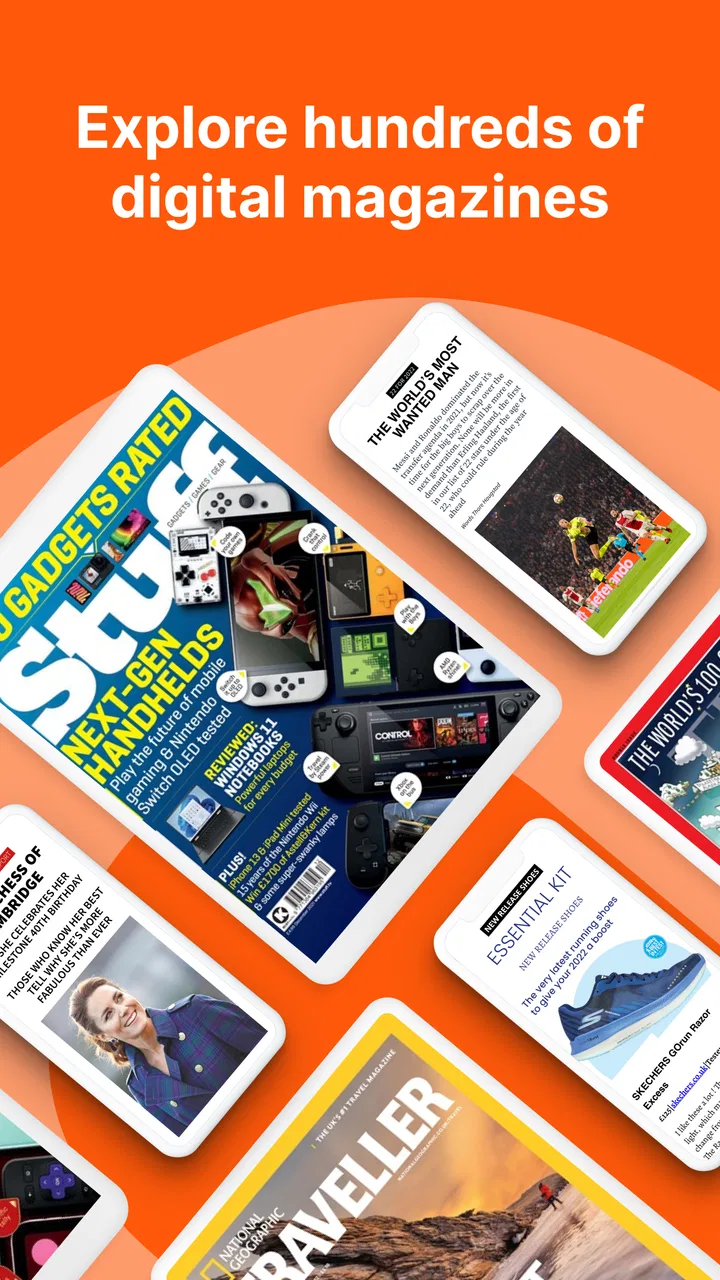
Pocketmags Magazine Newsstand is a digital reading app that lets you discover, purchase, download, and read magazines and newspapers on a mobile device. Its catalog covers many interests, including technology, travel, lifestyle, hobbies, entertainment, business, and current affairs. After installing it, users can browse available publications, view issue information, and manage their digital reading library from one place.
02Do I need an account to use Pocketmags?
An account is generally useful, and may be required for purchasing, restoring, or synchronizing digital issues across supported devices. Signing in can help preserve your library if you change phones or tablets. Before downloading, users should check which sign-in options are available and make sure they remember their account details, since access to purchased content can depend on using the same account or Pocketmags credentials.
03Can I read magazines offline after downloading them?
Yes, Pocketmags is designed to allow users to download purchased or subscribed issues for offline reading. This is convenient when traveling or when an internet connection is unreliable. However, the download must usually finish while you are online, and large magazine files can require considerable storage space. It is also wise to open the issue once before going offline to confirm that it downloaded correctly.
04Are all magazines free to read in Pocketmags?
No. Pocketmags includes a mixture of free previews, individual paid issues, subscriptions, and offers that can vary by publication. Prices, billing periods, trial promotions, and available back issues are controlled by the publisher or the store listing. Users should review the purchase screen carefully before confirming payment, especially when choosing an automatically renewing subscription or a discounted introductory offer.
05Can I transfer my purchases between Android and iPhone?
Cross-platform access may depend on the publication, purchase method, and the account used in the Pocketmags app. In many cases, signing in with the same Pocketmags account helps users access eligible purchases on another supported device, but purchases made through Google Play or Apple may be subject to platform-specific rules. Before switching systems, check Pocketmags support information and keep purchase receipts available.
Pros
- Large selection of magazines across many interests
- Issues can be downloaded for offline reading
- Search and category tools make titles easy to find
- Supports subscriptions as well as individual issue purchases
- Reading progress and saved issues are convenient
Cons
- Some magazines or issues may be unavailable in certain regions
- Subscription prices and renewal terms vary by publication
- Large downloads can consume considerable storage space
- App experience depends on each publisher’s digital layout
- Purchased content may require an account to restore

Pocketmags Magazine Newsstand
Gallery